Category: Uncategorized

  • 2018 iPad 6th Gen 9.7 inch Review

    As the person who has built his own powerful desktop PC, I was never sold on the idea of a tab but once I decided I needed it, in order to solve Pastest and read PDF books on a bigger screen, the 2018 iPad (6th generation) was an obvious choice. The iPad is simply the best tab available in the market and the Android tab experience comes nowhere closer. Among the current models, the 2018 iPad (6th gen) has the right balance between pricing and features. I bought the iPad (32 GB, WiFi) and the Apple Pencil from the iStore on Elgin Road; I did get a ₹1,000 discount on the iPad but I left the store without any other accessory as they had nothing good to offer.
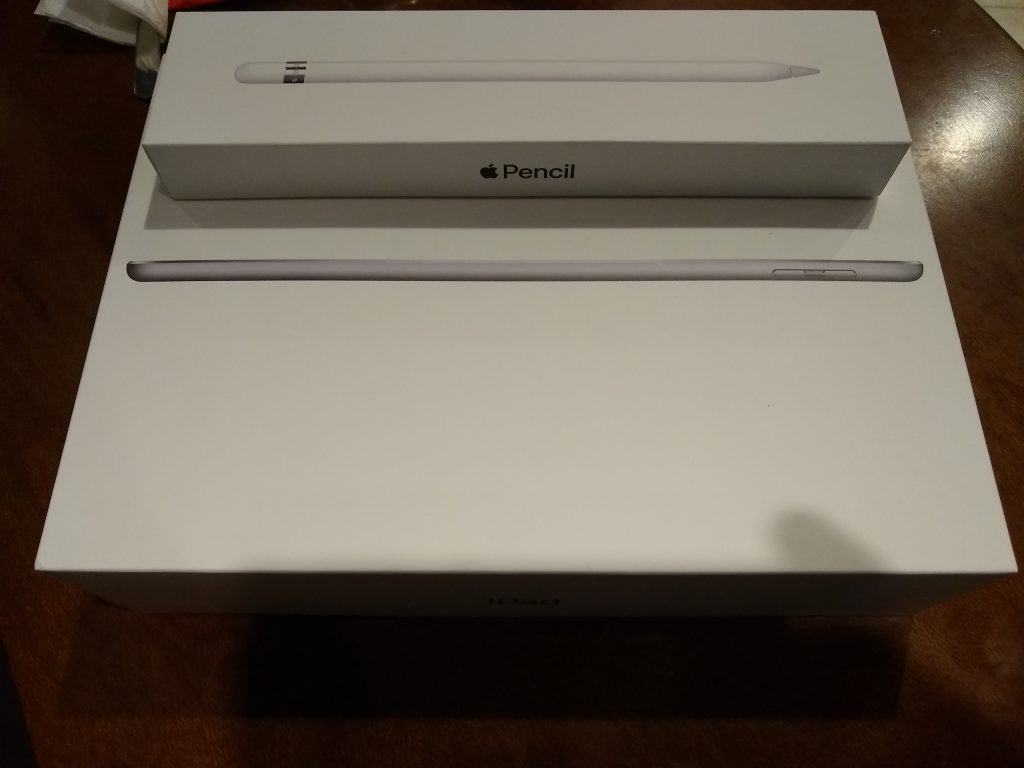
    Apple iPad 2018 and Apple Pencil
    Apple iPad 2018 and Apple Pencil

    First Impressions

    The iPad 6th gen boasts of a stunning 9.7 inch display and slim design. Weighing just a pound, the 2018 iPad is a delight to hold. It is slightly thicker than the more polished iPad Pro though. In fact, design wise this slate hasn’t seen much change from the days of the iPad Air. The large bezels still exist which, being black on my space grey iPad, offer an immersive experience though. I was relieved to find the headphone jack however, which has been phased out from all other iOS devices.

    2018 iPad (6th gen) WiFi 32 GB: Amazon ₹28,000
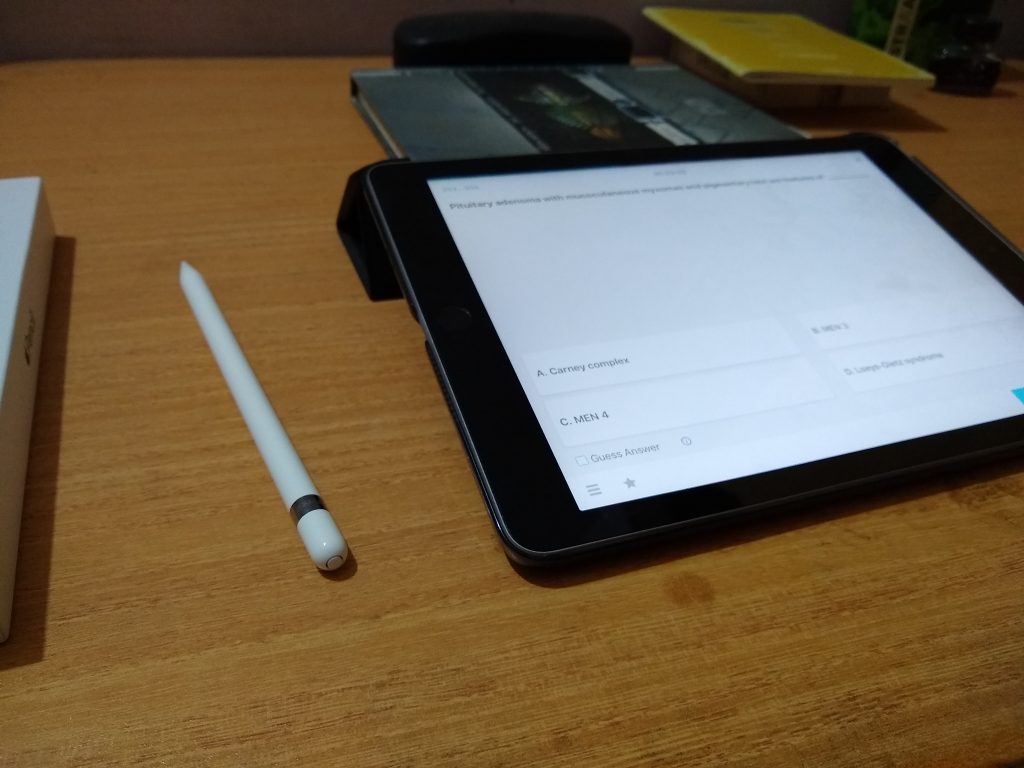
    The iPad and the Pencil
    Sitting on my desk: The iPad with the Pencil

    Multitasking

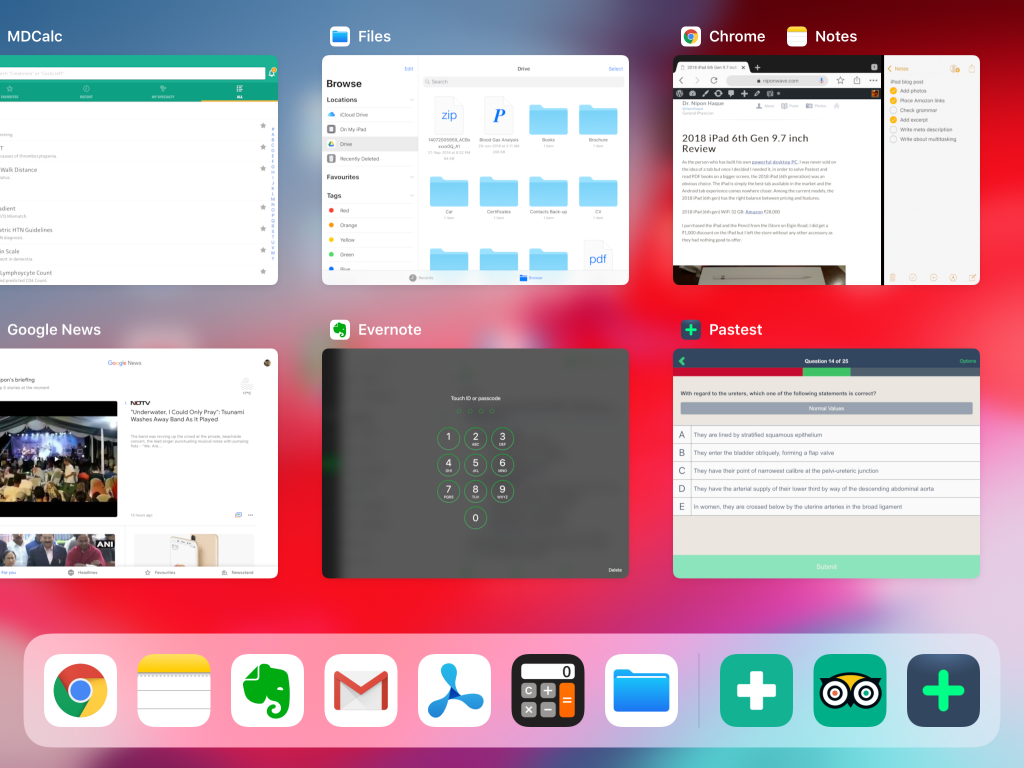
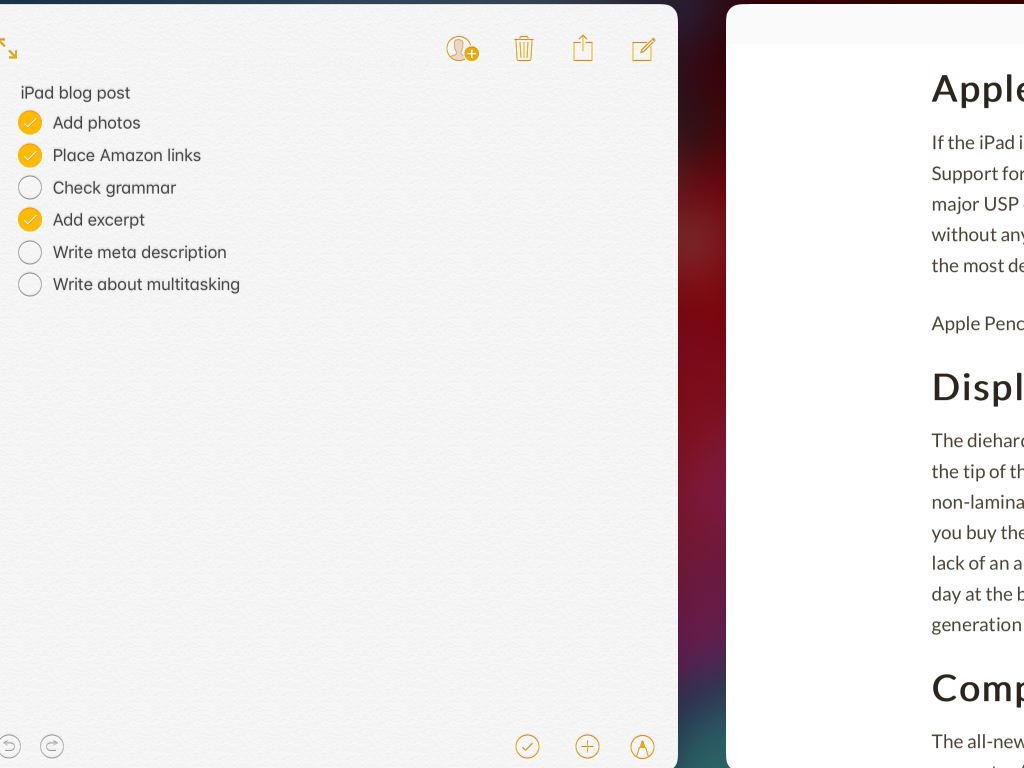
    The state-of-the-art multitasking features on the iOS allow the iPad to be used almost like a computer. Check the photo below to find out how I can scribble notes in the Apple Notes app while solving MCQs, keeping two apps laid out side by side – a feature which Apple calls Split View. This is just a peek into the array of multitasking features the iPad is armed with. With the right iOS gesture, you can invoke Split View, Slide Over, multi-touch Drag and Drop, a customizable Dock that is accessible from any screen and holds upto 13 user-defined apps and 2 recently used apps, App Switcher, App Spaces and Video Picture in Picture. Pair the iPad with a Bluetooth keyboard to enhance the capability of the device further.
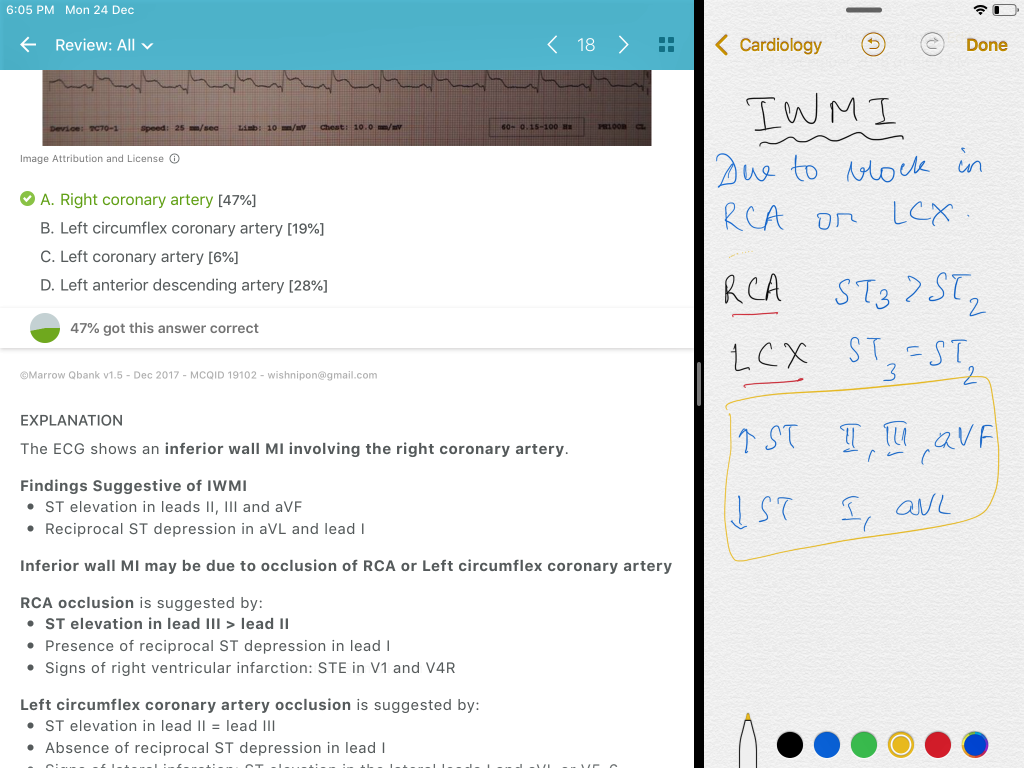
    Split View in iOS
    Split View in iOS has two apps laid out side by side
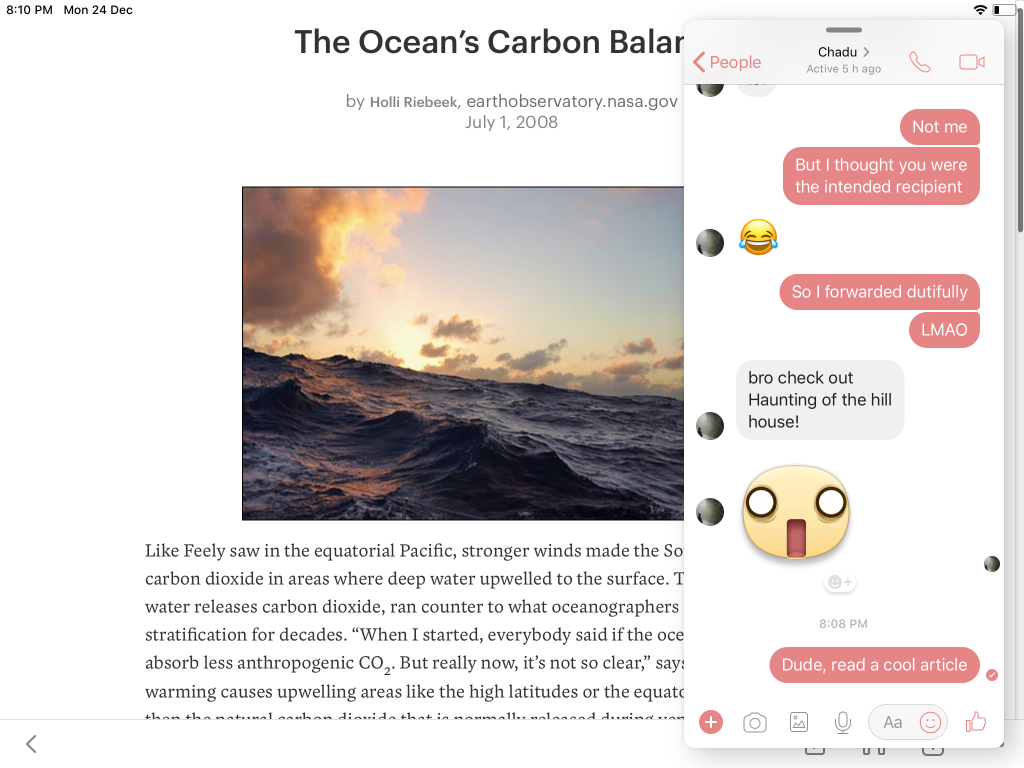
    I can have an app Slide Over and float on top of the main fullscreen app.
    I can have an app Slide Over and float on top of the main fullscreen app.
    App Switcher on iOS
    App Switcher on iOS, invoked by a four finger gesture, has App Spaces – app thumbnails along with Split View instances – intact.
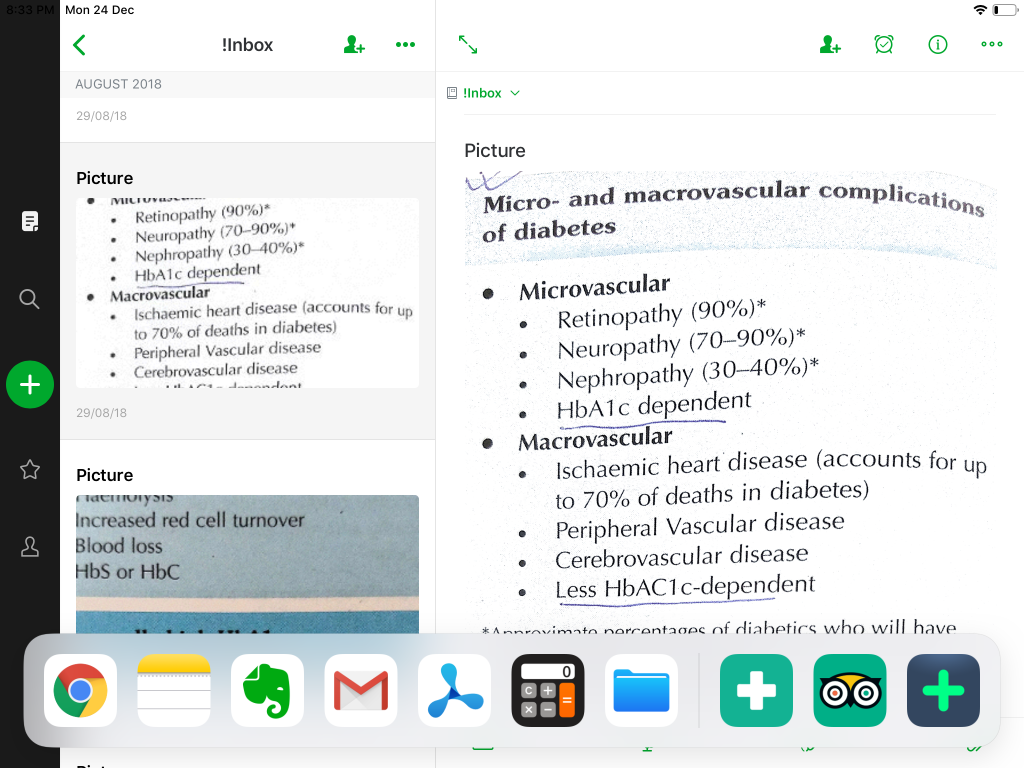
    The iOS Dock can be accessed from any screen
    The iOS Dock can be accessed from any screen
    iOS gestures: I can actually drag the screen with four fingers to the left or right to quickly switch between the open apps.

    Performance

    While the iPad 2018 has retained the same chassis from yesteryear, it has seen a significant upgrade in the horsepower. Using the iPad feels very snappy, thanks to the impressive A10 Fusion CPU. In my experience, it ran fluidly and handled heavy-duty editing apps with ease. The fast enough iPad has enough battery juice to keep you occupied during a ten hour long flight.

    Apple Pencil

    If the iPad is a glorified piece of paper, it sure needs a fancy pencil to go with. Support for the Apple Pencil, so far limited to the iPad Pro models, has been a major USP of the iPad 6th gen. The Pencil offers smooth writing on the iPad without any lag. Full support for tilt and pressure sensitivity makes the pencil the most desirable accessory for the iPad.

    Apple Pencil 1st gen: Amazon ₹7600

    Display

    The diehard graphic designer will complain that there is a slight gap between the tip of the pencil and the stroke generated on the iPad 6 screen due to its non-laminated display but it won’t matter to most users like me. Internet joke: if you buy the iPad in space grey (like mine), you may not even notice the gap. The lack of an anti-reflective glass will make reading difficult on the iPad on a sunny day at the beach but as long as I am indoors, the Retina display on the iPad sixth generation is absolutely brilliant.

    Comparison with iPad Pro

    The all-new iPad Pro sure has a ton of exciting features like USB-C, smart connector (supports Apple Smart Keyboard), better display (laminated display, True Tone display, anti-reflective glass), quad speakers, Face ID, faster processor, more RAM, thinner bezels and all that but it costs a whopping 2.5 times more than the iPad. With the extra goodies like Apple Pencil 2, Smart Keyboard, the total cost would be close to ₹1 lakh. I didn’t want to invest that much into the iOS ecosystem already as my desktop / laptop will continue to run Windows (no Mac) in the foreseeable future and my phone is still an Android.

    Apps

    MCQ: One of the main reasons why I bought the iPad was to solve multiple choice questions on a bigger screen. The paid subscription apps like Pastest are a great resource for studying for exams like the MRCP. Reading the explanatory answers on the iPad is much easier than that on the cramped phone screen.

    PDF: Most textbooks have their PDF available but reading them on the PC was always a cumbersome experience while the phone screen was too cramped for comfort. The 9.7 inch display offers a pleasant reading experience and I use the Apple Pencil to annotate PDF books while reading them on the iPad. The best free app suited to the purpose is PDF Viewer. As you can see in the picture below, I can underline, highlight and note down my own words while reading a PDF.
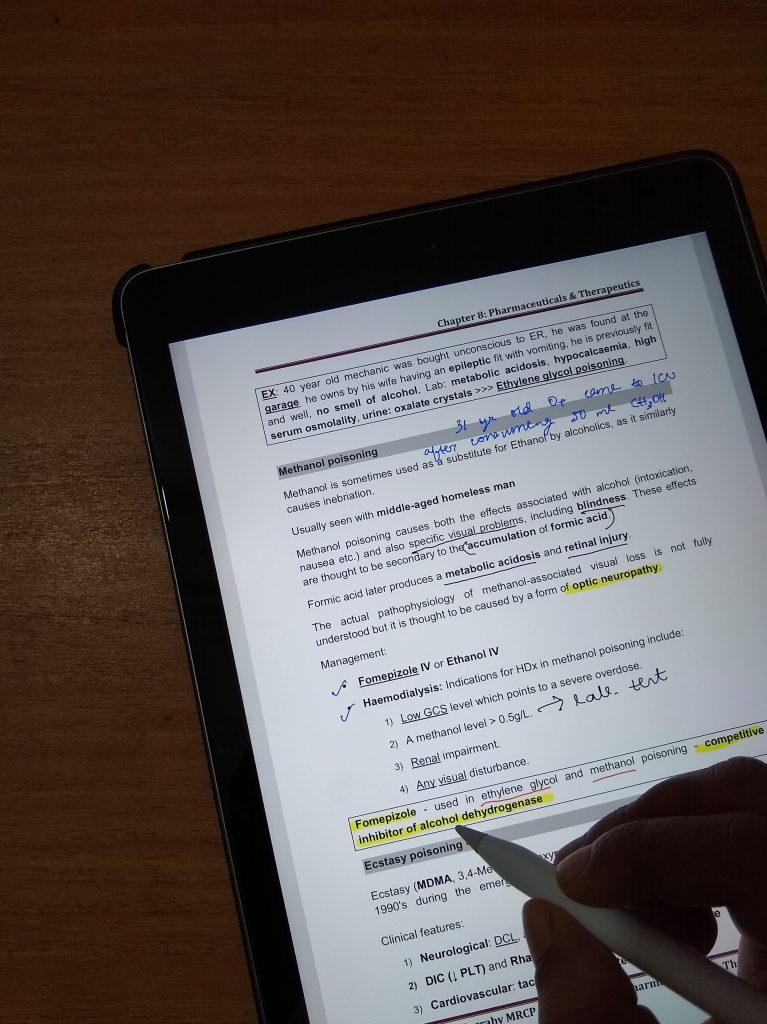
    Reading text books on the iPad with the Pencil
    The paperless desk! Late night reading at home on the iPad with the Pencil.

    Image Annotation: For annotating images (mostly screenshots) I use the in-built iOS tool called Markup that comes adequately feature-packed for my needs.

    Medical Apps: The App Store has a rich collection of medical apps e.g. MDCalc, an indispensable tool in the hospital. Discussing each of the medical apps I use is beyond the scope of this article. I plan to review them soon separately.

    Notes: Despite existing for more than ten years, Evernote still feels like an incomplete product which led me to try a lot of other apps like Bear Notes, but I have remained stuck to Evernote for general note taking because it is cross-platform and has an excellent web clipper tool. I finally got tired of Evernote, which hasn’t evolved enough with time and looks dated, and moved to Bear notes. I am also using Day One for journal writing. Most of my ideas, memos, snippets of useful information, web pages go to Bear while I will write a travelogue in Day One.

    Photo storage & editing: Photos look gorgeous on the Retina display screen. The stock Photos app has slightly better editing options but I use Google Photos as all my photos are stored on Google.

    Drawing: For the artists, there are a good many apps like Paper, Procreate, which take advantage of the unique features of the Apple Pencil like pressure sensitivity. Of the two, Paper is free to download with some features reserved for paid users whereas Procreate is a fully paid app.
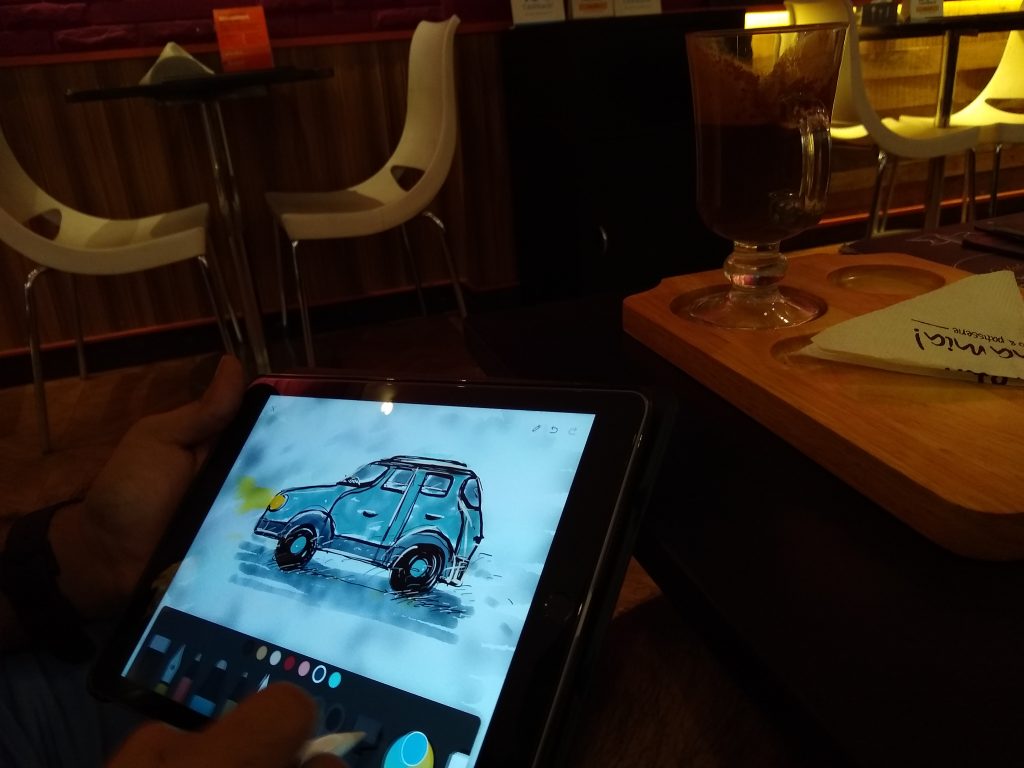
    My friend Dr. Chandradeep trying to capture a dank cold morning in the rainy winter of Kolkata
    My friend Dr. Chandradeep borrowed my iPad to capture a cold damp morning in the rainy winter of Kolkata. Follow me on Instagram to see the finished painting.

    Read it Later: I have installed Pocket on my iPad, as it is also my favourite read-it-later app on Windows and Android.

    Handwriting: I have purchased the app Goodnotes to write down some lines with the Apple Pencil.

    Guitar: My guitar learning app Yousician look terrifics on the iPad screen.
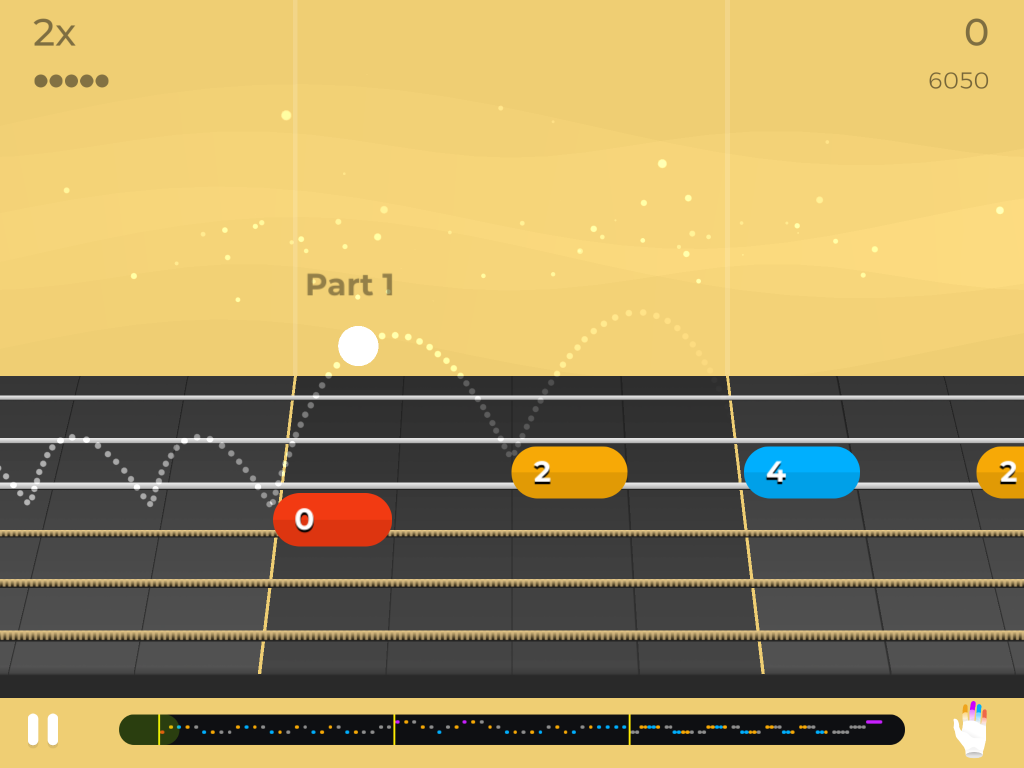
    Yousician on iPad
    Practice session with Yousician

    Video Editing: I have looked no further than the robust and user friendly stock app iMovies. For advanced users, there is always Luma Fusion.

    File Manager: The stock Files app has my iPad sorted.

    To Do list: Apple Reminders does the job.

    Others: The latest version of iOS allows you to uninstall stock apps. I was quick to uninstall the Mail app and install Gmail. Similarly, I installed Google Maps, Google Drive, Google News (Apple News isn’t available in India), Google Chrome, although iOS doesn’t let you uninstall Safari, and AccuWeather.
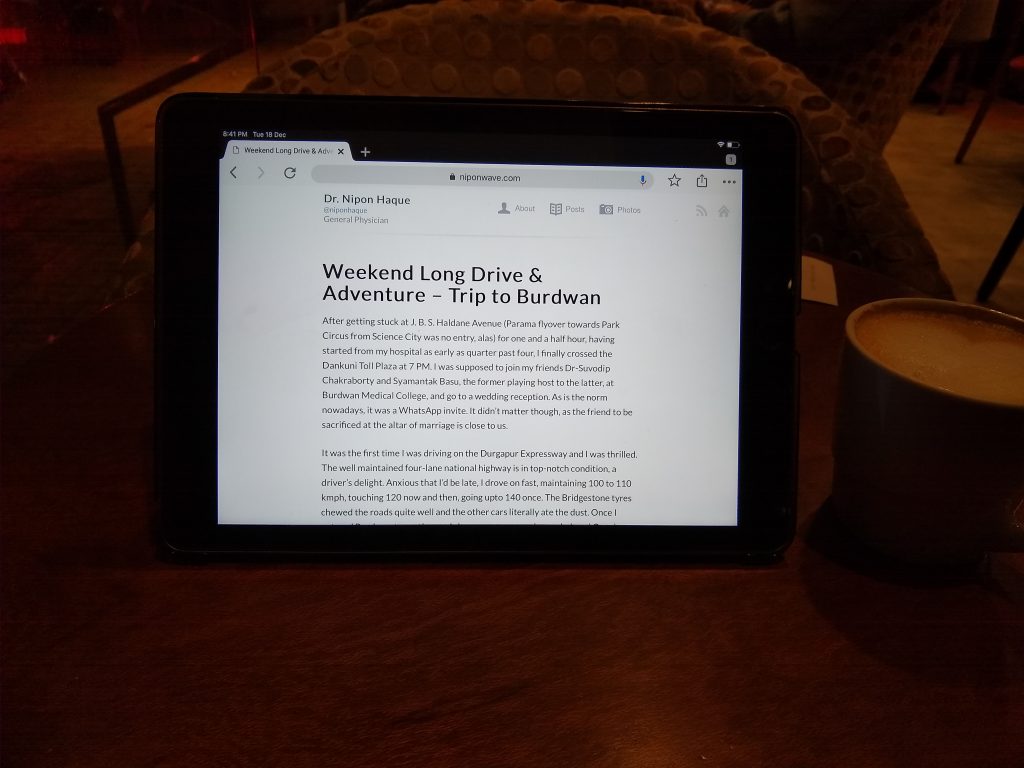
    Google Chrome on iPad
    Coffee time! Reading an older blog post on Google Chrome.

    Accessories

    Keyboard: I considered buying the popular Logitech Slim Folio keyboard case as the iPad 6 doesn’t support the Smart Keyboard Folio, Apple’s own product that elevates the iPad Pro to another dimension, but cancelled the idea when I read that the Logitech Slim Folio is not as slim as the branding may suggest. I decided to get the Logitech K380 bluetooth keyboard, once I figured that I would require a physical keyboard for the iPad not on most days but only on those rare occasions, like writing this blog post on a whim, for which a separate keyboard would make more sense. A small form factor, a sleek design and a textured matte finish make the K380 a suitable iPad keyboard. The springy keys provide a very satisfying typing experience and the build quality feels solid. The keyboard specific iOS shortcuts (a list of which can be accessed from any screen by long-pressing cmd key) are a major boost to productivity but I like Logitech’s own shortcut for capturing screenshots (fn + tab) the most. I got this keyboard from iBhejo.com for ₹951 during their Christmas clearance sale.

    Logitech K380: Amazon ₹2,895
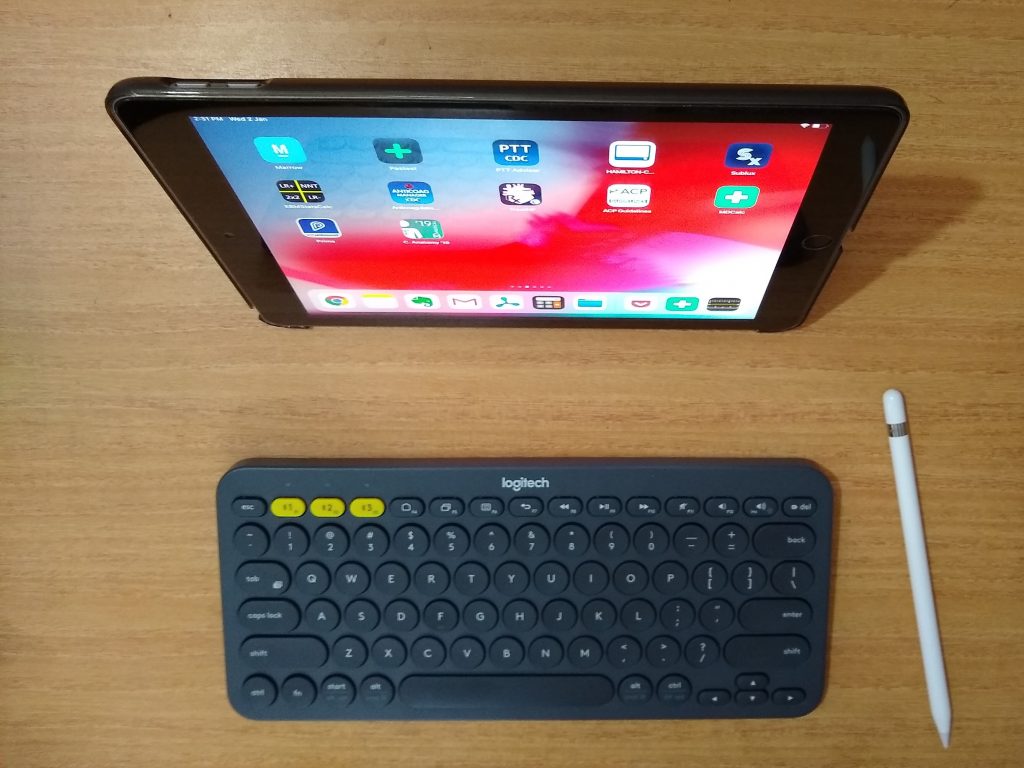
    My iPad desk setup
    My iPad desk setup

    Case: The original Apple Smart Cover is not sold at Apple Stores in India and I was offered an ordinary case at the iStore. I wanted something better and decided to buy the Moko iPad case, an imported product from US, for which I ended up paying nearly three times the actual price of $12. However, I am not complaining as it is still cheaper than the case I was offered at the store. The Moko case is a snug fit on the iPad, with cutouts in the right places for the ports. The lid closes fully, leaving no gap, and tightly, thanks to the magnetic action. The auto wake / sleep function is flawless. It doesn’t add much bulk and the iPad still feels good to hold. Despite being lightweight, the case feels sturdy and durable, one that is built to last. The cover provides a strong footing to the iPad when used as a stand and offers two view angles.

    Moko Case for iPad 9.7 inch: Amazon $12

    Tempered glass: Although I don’t install tempered glass on my phones, I decided to put one on my new iPad as I didn’t want scratches on the screen. As none of the products available in India seemed good enough to me, I zeroed in on the amFilm screen protector, an US product priced at $10. The installation was actually fun: it was thrilling to watch the screen protector adhere itself as the point of contact spread across the iPad screen surface on its own! I am highly impressed by the quality of the tempered glass. The stunning display of the iPad is not compromised and the Apple Pencil glides smoothly as ever. The screen protector is hardly discernible, it is almost not there! It feels like glass, without any plasticky feel, and isn’t a fingerprint magnet. For those who want a better writing or drawing experience on their iPad, they can go for the much acclaimed PaperLike which comes with a matte finish, reducing the screen clarity only slightly but offering just the right amount of friction between the Pencil and the iPad, as well as providing some much needed anti-reflection to the iPad 6 and shipping free of cost to India.
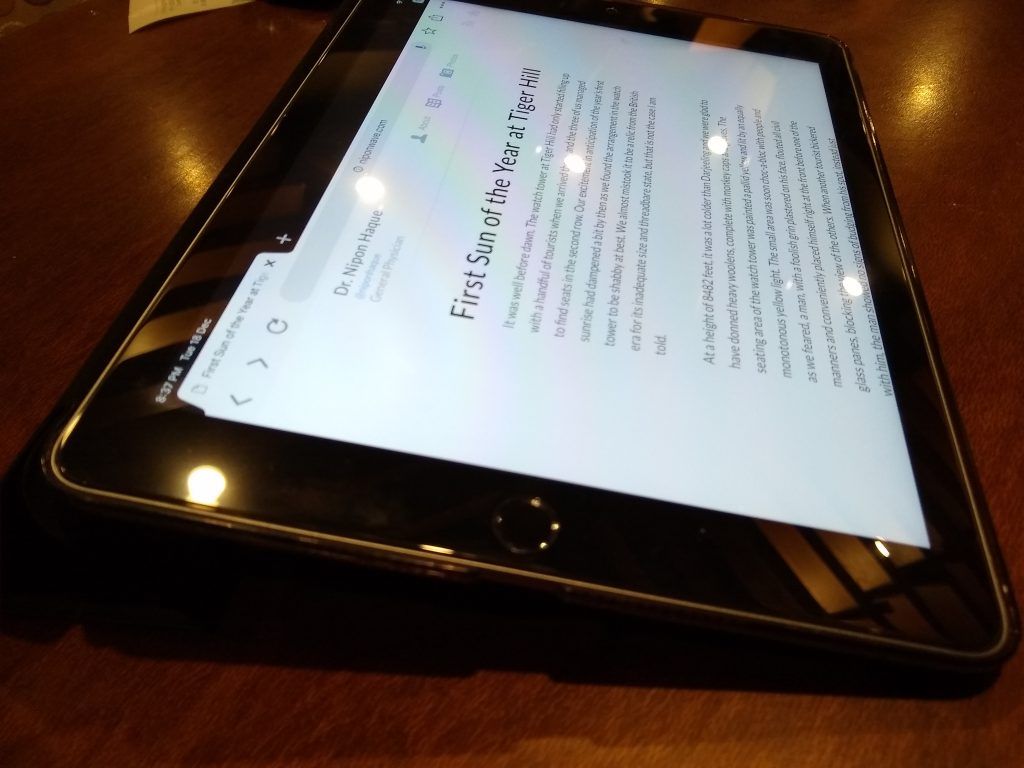
    iPad 2018 with amFilm screen protector
    Hardly there! The amFilm screen protector is nearly invisible on the iPad 2018.

    amFilm screen protector for iPad 9.7 inch: Amazon $10
  • ব্যোমকেশ গোত্র রিভিউ

    অজিতের বর্তমান চরিত্রায়ন হাস্যকর এবং অসহ্য। কি করে পরিচালক তাঁর তৃতীয় ছবিতে লালমোহনের সাথে অজিতকে গুলিয়ে ফেললেন এটা বোধগম্য হলো না। শুধু তাই নয়। সত্যবতী আর অজিতের পাল্লা দিয়ে ন্যাকামি খুবই বিরক্তিকর। এ বলে আমায় দেখ, ও বলে আমায় দেখ। শরদিন্দুর ব্যোমকেশের বজ্রমুষ্টির কথা কারোর অজানা নয়। কিন্তু অরিন্দম শীল ব্যোমকেশ কে বন্ডের স্তরে নামিয়ে ছবিতে অজস্র মারপিটের অংক ঢুকিয়েছেন। এমনকি গল্পের গরু গাছে চড়িয়ে ইংরেজি গান সমেত একটি চটুল আইটেম নাম্বার পেশ করেছেন। তবে এত বিরক্তির মাঝেও মূল কাহিনী মোটামুটি অটুট রয়েছে আর মুসৌরির প্রাকৃতিক সৌন্দর্য এক প্রাপ্তি।

  • Best Budget Android Phone in India: Moto G6

    The original Moto G was a game changer that paved the way to budget smartphones. It was a stellar phone at that time. After Lenovo took over from Google, the good things like fast Android updates became a thing of the past. The build quality also went down a bit. Luckily Lenovo didn’t mess with the stock Android while they also managed to improve the camera.

    Despite Lenovo’s shortcomings and losses, Moto G line of phones remains the best budget phones today. WireCutter, the only gadget reviews website I read nowadays, lists the Moto G6 as the second best budget Android phone in their current review. I have already written why I decided to buy a budget phone after much consideration. Also, the Motorola service centre in Kolkata (Salt Lake) is really an example of how a phone service centre should be run – courteous and prompt. This service centre experience was one major reason behind me sticking to Moto. This time, I upgraded from a Moto G4 Plus phone to the G6.

    Reason behind Phone Upgrade

    My previous phone Moto G4 plus, purchased in October 2016, needed an upgrade. The battery was no longer reliable, requiring 3 to 4 charges a day. The power button has a design flaw in the phone. It got loose on and fell off last year – when I had to get a new power switch installed at Moto service centre. When the power button broke again a week ago, I decided to get a new phone.

    Premium Design

    The all new Moto G6 boasts of stunning looks. The 18:9 aspect ratio body is a delight to hold. The phone looks very premium with its narrow bezels and a beautifully finished glass back which is black with a tinge of blue. However, the rear glass is so glossy that it can slip off your hand easily. Also noteworthy is the logo on the phone. Lenovo has ditched the ‘Moto’ moniker and re-embraced the original ‘Motorola’ in the logo.

    Good Battery Performance

    The Moto G6 battery gets charged really fast, via a USB-C cable. With heavy usage, it needs to be fully charged twice a day. On moderate use, a full charge lasted me more than 24 hours on a working day. I will have to be careful and maintain good battery habits to make the battery last long.

    Camera Loaded with Features

    I didn’t get much time to toy with the camera and cannot give an honest opinion about it. The Moto camera app is loaded with latest features like time lapse, slow motion, face filters, active photos, group selfie and so on. The selfie camera has a flash this time.

    Nipon Haque
    The Moto G6 captures great selfies.

    Solid Hardware

    Calling, 4G and WiFi work flawlessly – no complaints there. NFC is still missing though. (The European / US iteration of Moto G6 gets NFC.)

    4 GB RAM and a capable processor make this phone really snappy. There is absolutely no lag. I have not faced any heating issue, as reported by some, in the four days I have been using it. I installed Max Payne and finished playing the entire Part 1. The game ran smoothly without any hiccup.

    64 GB internal memory will run out soon if I do justice to the great camera and shoot many photos and videos. It is a good thing that the phone comes with expandable memory. No need to spend on cloud storage.

    The display is of top quality, in keeping with the quality associated with the Moto G series. I am enjoying my Netflix even more on the wider 18:9 display. The touch and scrolling is smooth like any premium phone.

    The fingerprint sensor is integrated in the home button. By enabling the ‘Moto one button navigation‘ feature, which takes a while getting used to, I have got rid of the on screen buttons and thus claimed even more of the screen area.

    The single speaker (Moto G2 had two speakers) is loud enough and better than my previous phone. The phone also comes with Dolby Audio. I am yet to tinker with the various modes in the app. This time an in-ear headphone has been supplied which is a significant improvement from its predecessors.

    Software: Near Stock Android

    The software on the Moto G6 is nearly stock Android. It comes with Android Oreo out of the box. Some useful additions by Moto make the Android experience even better. For example, Moto Face Unlock, Moto Actions, Moto notifications, etc. The Moto app identified six apps (some payment and banking apps, Uber, etc.) hogging battery by running in the background and prodded me to put those in sleep mode.

    The Moto launcher is a replica of the now discontinued Google Now launcher. Desperate to get rid of the look of stock Android, I have installed Microsoft launcher and I am quite happy with its iPhone like feed.

    Missing: Cast Support in Moto G6

    It’s true that the Moto G6 doesn’t have in-built Cast support. Cast support has been disabled in the phone at software level because the hardware capability of the phone isn’t enough to give a smooth cast experience. You will need to buy a Chromecast to cast.

    Vibration feedback: A sore point

    I have one complaint about the Moto G6. The vibration motor isn’t upto the mark. It feels cheap. The vibration on the G4 Plus was more deep and boomy. I was able to disable all vibration feedbacks except one: for locking/unlocking with the fingerprint reader, which is enabled by default by the manufacturer.

    Exchange Offer: Great Value for Money

    By exchanging an ancient Moto E phone during Independence Day sale, I availed a discount on SBI card and got a very sweet deal in the end, paying 12000 on this stellar piece of hardware. I also saved money on tempered glass, a must for expensive phones!

    Accessories: Spigen Back Cover

    I had to slap a Spigen back cover on the phone sacrificing the sleek look of the phone. The cover offers a good grip and is supposed to have the so called air pockets to absorb impact in case of a fall. It will also protect the camera bump, which has now become a standard feature in all phones.

    In front, the cover has its edge raised around the screen to protect it in case of a fall flat on face. This sort of screen protection, albeit not full proof, was mandatory since I am averse to tempered glass screen protectors.

    Despite having a great fit on the phone, this made in Korea back cover makes my phone heavier and bulkier but its Spartan look has gradually grown on me. I also like the tactile feedback of the power and volume buttons after putting the cover on.

  • Thoughts on Buying a New Phone in India

    iPhone vs Android

    When I had decided initially to buy a high end smartphone this time, I considered buying an iPhone at length. Here are the key reasons why I stuck to Android:

    • I rely on swipe gestures heavily while typing on phone and the Gboard on Android works flawlessly. Typing in the stock keyboard on iPhone is not as good. Even using the Gboard on the iPhone isn’t a smooth experience as word suggestions are fetched from the cloud instead of being stored locally.
    • Android handles notifications much better than the iPhone.
    • Apple Maps is a joke in India. While Google Maps is available on iPhone, it is not built natively. That means Siri can’t access Google Maps search results. Google Maps is miles ahead in the maps department and I rely on it heavily while driving – which brings us to the next point.
    • Google Maps is yet to be available on Apple CarPlay and you are stuck with Apple Maps, which doesn’t offer turn by turn navigation in India! I would be lost in my own city if I were to use an iPhone.
    • I need to upgrade to a new head unit if I want to use Apple CarPlay in my car. On the other hand, the power of Android Auto can be harnessed straight from the phone in case the head unit isn’t compatible. Since I don’t intend to replace the stock HU on my car anytime soon, an iPhone isn’t the phone for me.
    • The much famed Apple Support is not as great in India as it is in Europe or US. It’ll also prove costly after 1st year, even with AppleCare.
    • I am equally concerned about the bricking issues. Remember #batterygate?

    Android: Flagship vs Budget

    After deciding to stick to Android, I realized I will ultimately settle for a high end flagship phone or swallow a budget phone in the end. I zeroed in on the Samsung Galaxy S9 and the Google Pixel 2.

    Google Pixel 2: Unreliable after sales service

    My friends who have used the Google Pixel 2 swear by its impressive camera. According to the WireCutter, Google Pixel 2 is the best Android phone in the market today. While reading more about the phone on the web, I realized that Google doesn’t have a good service presence in India. The internet is rife with horror stories about poor after sales service from Google. In India, the Google phones are presently serviced by a German firm called B2X, who collects the phone from your doorstep and delivers it after repair, but the service is both slow and expensive. The parts are seldom available and have to be imported. Bottomline: Google phones are best bought if you live in the US or Europe, where the after sales service is reliable.

    Samsung Galaxy S9: Slow Android Updates

    Among Android phone makers, Samsung usually has a reliable service network in India. Earlier I was weary about the bloatware that came with Samsung phones but Galaxy S8 onwards, you can uninstall the bloatware. The latest flagship Galaxy s9 is a stellar phone. However, Samsung is painfully slow when it comes to pushing out Android updates on time. The Oreo update came to Samsung flagship phones seven months after it started rolling out to Pixel and Nexus devices. Now that is a compromise I am not willing to make after spending a large chunk of money on a phone.

    Best Budget Android phone: Moto G6

    Finally, I decided to stick to a budget Android phone. Among the budget phones. I chose the Moto G6 because the Moto G line of phones consistently features on WireCutter, in their reviews covering the best budget android phones. In their recent review, the WireCutter lists the Nokia 6.1 as the best budget Android phone and Moto G6 as the runner-up. However, the Nokia 6.1 looks boxy and outdated, sporting a 16:9 aspect ratio, and the restructured Nokia is yet to sort out their service network in India. I stuck to Motorola particularly because I am impressed by the Motorola service centre in Kolkata (Salt Lake). I have reviewed the all new Moto G6 in a separate article.

  • Byomkesh Bakshi – Gripping!

    My initial delight at the news of the ressurection of the Byomkesh franchise, decades after Satyajit Ray’s Chiriakhana, was soon fraught with scepticism, for old school detective stories were by no means considered Anjan Dutt’s forte, and it remained to be seen to what effect the self-styled director, known for his comfy factor with themes like Anglo-Indian community or rock music, could revive Byomkesh!

    What we got on August 13 is really promising. A gripping tale of crime and drama with suspense till the very end. Dutt has stayed true to the original story which is why most of the shots are indoors and there is hardly any edge-of-the-seat stuff! The film progresses at a slow pace as the tight script gradually unfolds. The only points where the script gets slack is whenever Anjan Dutt overdoes his preaching. Right he hasn’t spared even Byomkesh Bakshi from his antlami!

    If you compare Chiriakhana with Adim Ripu, the latter has a much simpler plot. Anjan Dutt deserves credit for making a fine movie out of that. To talk about the cinematography, I am totally floored by the sheer bangaliana of the movie. With its 60s feel it is a treat to watch, a visual delight. The movie boasts some excellent old-world shots. To add to that, some great acting makes the film memorable indeed.

    There are things Dutt could be mindful of. The riots and pogroms were indeed part of the original story. But in the film the shots look so unrealistic. We even see Ajit braving the riot in an open street with the detachment of an ascetic! The movie is rife with minor goof-ups. The entire money is never burnt. Nanibala Debi manages to change to a new saree in the ending roof sequence! The names of the suspects are pinned by Byomkesh openly in his drawing room visited by outsiders, much to the dismay of an observant viewer!

    A year ago when Rituparno Ghosh was toying with the idea of making a Byomkesh movie, guess who did he have in mind for the role? No prizes for guessing! Prasenjit! Give me a break! Credit goes to Anjan Dutt for roping in a relatively new face! As we all have our preconceived notions regarding our favourite characters from books, impressing the reader is no piece of cake but newcomer Abir Chatterjee plays a very convincing Byomkesh. With his smart and sharp looks, he delivers an impressive performance as the super sleuth. Expecting to see more of him in the sequel.

    With Topshe of yesteryears around, Anjan Dutt din’t have to look far to find out Ajit! Saswata Chatterjee looks solid in the role of Byomkesh’s closest friend and the candid narrator. His voice-overs throwing light on riots and independence take the character to a whole new height. Dutt also gives due importance to the character by sending Byomkesh away to Patna, leaving Ajit on his own to keep an eye on the suspects.

    The selection of Ushashie Chakraborty does great justice to Satyabati. I have always admired the character of Satyabati for she is no ordinary woman. She is a woman of substance and adds her own charm to the stories, rare in detective stories for Byomkesh is the only sleuth to have a wife apart from Samuel Dashiell Hammett’s Nick Charles, through her brief but meaningful appearances. In the two phone call scenes where Satyabati appears, Ushashie doesn’t fail to impress. She looks very intelligent and very Bengali! Looking forward to see more of her in Chitrachor where Satyabati has a significant presence.

    The feminist in Anjan Dutt makes the character of Shiuli, a sultry singer played by Swastika Mukherjee, speak up, going out of the original storyline and she gives Byomkesh a mouthful more than once in the movie. Dutt can have this liberty for Sharadindu was not a politically correct writer in his politically incorrect, colonial period. The character had a lot of potential but got spoiled by Swastika’s amateurish acting, although she most definitely adds a lot of oomph to the screen.

    Biswajit Charakaborty as the crafty businessman Anadi Haldar, Kalyan Chatterjee as his blackmailing friend Keshto, Chandan Sen as the unscrupulous arms dealer Bantul all show great acting talents. Swagata Banerjee was an apt choice as Nanibala, the woman high on testosterone. Rudraneel looked like Prabhat straight out of the story book. Special mention is required of the actor who played the little role of the hotel owner.

    Rating: 4/5

    Byomkesh Bakshi – the first of the trilogy Anjan Dutt plans to make on the franchise – is definitely worth a watch. Now that the promise has been kept, a lot more is expected from the director. Can’t wait to see the sequel! Chitrachor has a very complex plot and makes great movie material. The expectation is too much!